Gallery access control
Grant secure and specific access to your galleries for different clients and projects.
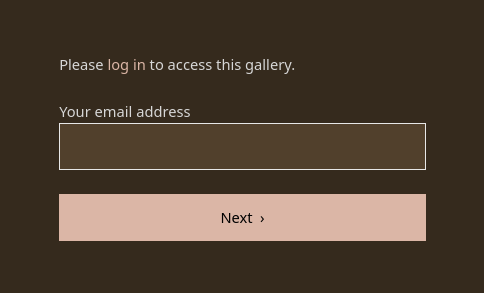
Managing a large volume of media files for diverse clients and projects requires a system that is both flexible and secure. PhotoDeck’s access permissions features give you precise control over who can see which of your images and video clips, helping you balance client confidentiality with ease of use, for every project.
Instead of managing multiple websites or scattering files across unsecured platforms, you can centralize them on PhotoDeck and easily control access at the gallery level. You can simply hide a gallery from public view, use a simple password to protect private galleries in a way that limits friction, or use the system’s client management features for personalized, login-based authorizations.
Access control examples
- For the corporate photographer: Securely share a gallery of finalized executive portraits with a specific client contact from the marketing department. Your other clients, or the general public, will not even know the gallery exists.
- For the wedding photographer: Set a general password for all guests to view and order prints from the main gallery, while granting the couple a login-based access to a private sub-gallery containing exclusive, sensitive, or high-res images.
- For the marketing team: Group all images related to a new product launch into one gallery. Grant login access to the “Europe Team” client group, while excluding the “Asian Partners” group until the proper time.
- For private archives: Offer your best clients login-based access to a searchable archive of all their past work, and rest assured that other clients cannot view this confidential content.
This flexibility ensures that every client sees only what they are supposed to, with a level of protection matching the nature of the work and the client type, simplifying the sharing process and your workflow.
FAQ
How can I securely share photos with a specific client without using a generic password?
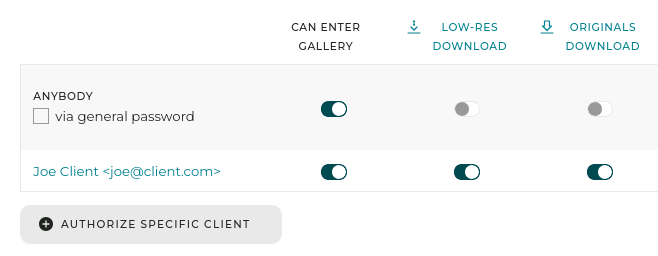
PhotoDeck’s client management allows you to grant specific, login-based access to any gallery. You can link a gallery’s access directly to a client’s account or even to an entire client group. They will need to log in to your site to view the content, ensuring only the intended recipient gains access.
What is the best way to share private photos with multiple people, like all the guests from an event?
The simplest way is to protect the gallery with a password. You can distribute this single password to all the guests, and they can easily enter it to view the photos without needing to create individual accounts and log in.
Can I restrict access to images that are still in production or need final approval?
Yes. You can manage access rights at the gallery level. Simply place the in-progress files in a gallery and restrict all general access. Then, grant specific access only to the necessary retoucher or client contact, keeping the media hidden from the public or other users.