Client galleries and photo proofing. Time-saving. Stress-free.
PhotoDeck’s flexible client galleries simplify proofing, collaboration, and delivery so you can focus on growing your business.
PhotoDeck is a client gallery software platform that eliminates wasted time on communication and retouching by enabling collaboration, secure delivery, and commission-free sales.

At a glance
- Client galleries for secure photo and video delivery.
- Visual feedback tools: comments, ratings, and selections.
- Commission-free sales for downloads, prints, and services.
- Granular access controls.
- Lightroom and Photo Mechanic integrations.
- Customizable designs to match your brand.
- AI metadata generation for better organization.
No more back-and-forth emails for client feedback
Make collaboration frustration-free
Out-of-context feedback and endless email threads lead to frustration. Whether your clients are consumers or professionals, PhotoDeck’s flexible client collaboration tools centralize communication, so you can retouch with confidence and save time.
- Client selections (Lightboxes): Empower clients to curate their favorite images into custom collections. Shareable links and comments make collaboration easy within teams and agencies. Discover client selections ›
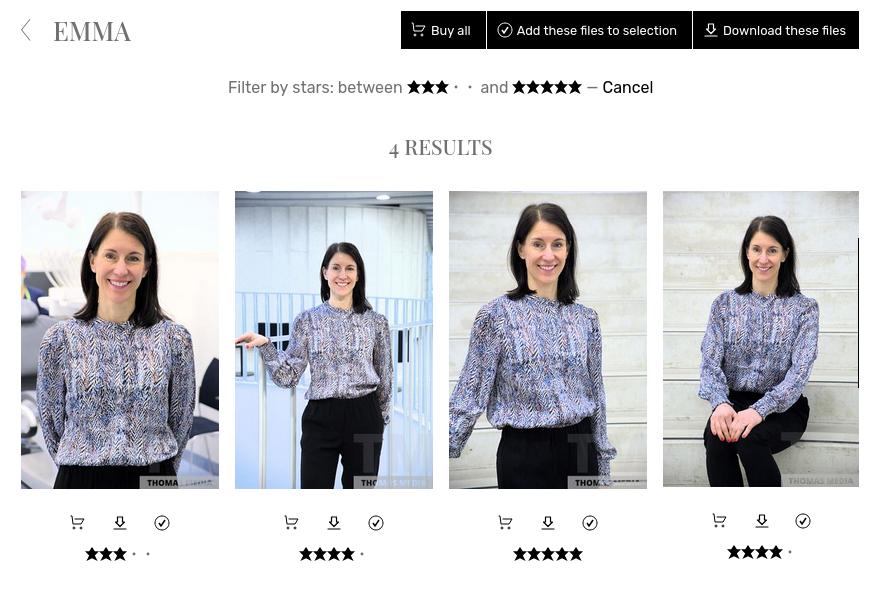
- Star ratings and comments: Let clients rate and comment on images to streamline selection and feedback. Filter galleries to show only highly rated files for bulk actions like downloads or purchases. Learn more about client feedback tools ›
- Batch actions: Clients can download or purchase entire collections in one click, reducing friction and increasing order value.
Lightroom galleries and bulk uploads
Less time at the computer
What if you could speed up your workflow? PhotoDeck’s time-saving tools automate repetitive tasks, so you can spend less time on admin work and more time shooting, editing, and growing your business.
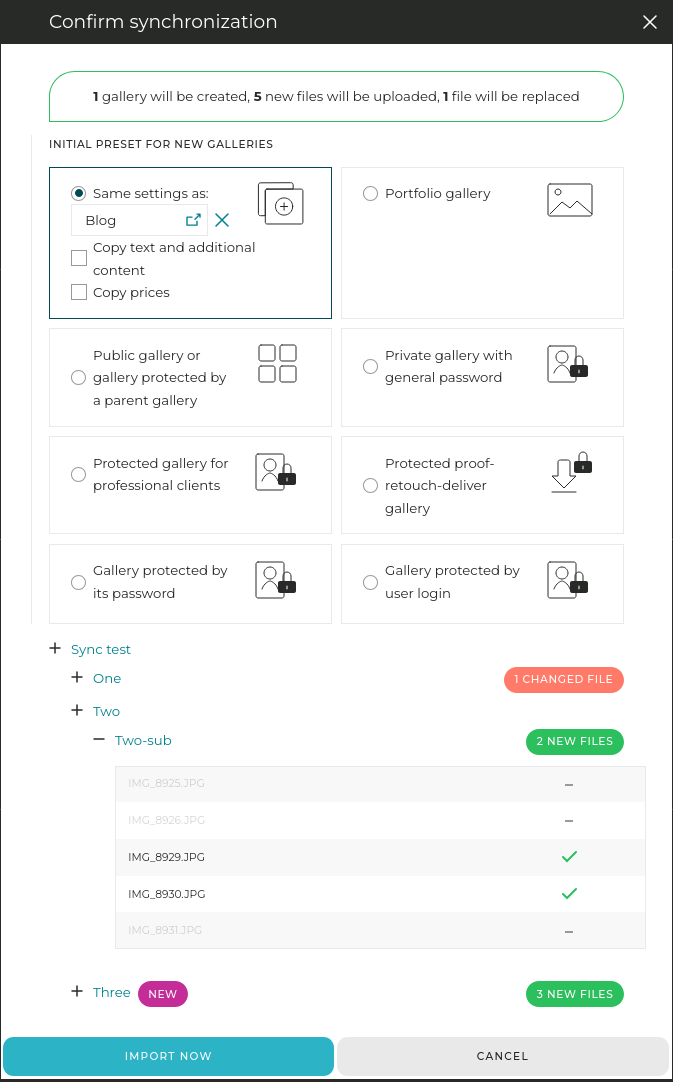
- Lightroom integration: Use our free Lr Publish plugin to sync galleries directly from Lightroom.
- Bulk folder upload: Synchronize entire folder trees at once, preserving your pre-organized structure. Perfect for delivering large shoots or migrating from another platform.
- Mobile back-end: Upload/download images, manage galleries and search your library from your phone. Stay productive on the go.
- Fast uploads: With close to 40 upload points worldwide, even large shoots are online in minutes.
- Email images in seconds: Send specific files to clients in just a few clicks, eliminating back-and-forth emails.
Keep your clients’ images safe and secure
Galleries with individual logins
Your clients trust you with their images, and PhotoDeck ensures their privacy and your security are not compromised, so you can share galleries confidently, knowing your work is protected.
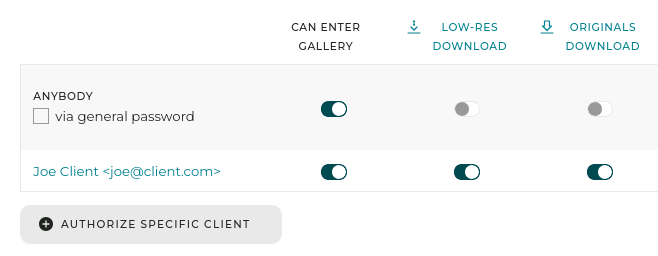
- Granular access controls: Secure galleries with password protection or individual client logins for ultimate control. Grant access to specific clients or groups for tailored visibility.
- Hidden galleries: Share private links for hidden galleries, ensuring only intended recipients can view them.
- Customizable watermarks: Protect images with automated watermarks that balance visibility and security. Adjust opacity, sizing, and tiling to deter unauthorized use.
- Activity tracking: Monitor gallery accesses, downloads, and logins with a detailed journal of website activity. Stay informed and in control.
Struggling to manage large galleries?
Let clients find images in seconds
Large shoots like events, weddings, or commercial projects generate thousands of files. PhotoDeck’s AI-powered tools let your clients find and download the right images in seconds.
- Face recognition and selfie search: Optional AI-driven facial recognition lets clients find all images of a specific person by clicking on a face or uploading a selfie. Perfect for event photographers.
- AI tagging: Automatically add keywords and titles to images, including text and bib number detection. Save hours of manual work and improve discoverability.
- Similarity search: AI identifies semantically related images (e.g., similar concepts or themes) to keep clients engaged and encourage deeper exploration of a collection.
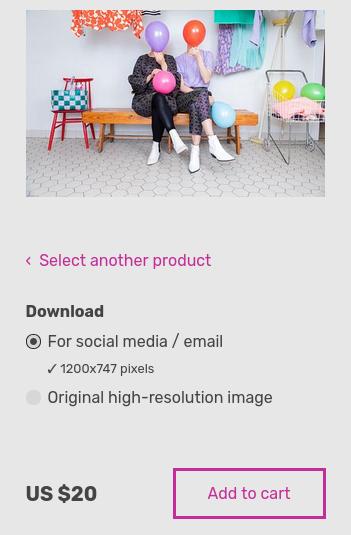
No hidden fees, no commissions since 2010
Sell downloads, prints, services…
PhotoDeck has been commission-free since 2010, so you can sell downloads, prints, and services without hidden fees or surprises.
- Sell downloads directly from client galleries, with immediate or retouch-first delivery.
- Prints, packages, and quantity discounts built in.
Galleries and a website that assert your brand
Hundreds of design options to match your style
Professional, brand-aligned galleries make clients appreciate your work more. PhotoDeck’s customizable designs and display style editor give you full control over how your work is presented.
- Custom gallery presentation: Tailor the visual display and functionality of galleries depending on their purpose and who the client is. See how ›
- Custom domains with SSL: Use your own domain (e.g., photos.yourbrand.com).
- Mobile-friendly galleries: Ensure your client galleries look and function perfectly on all devices, from desktops to smartphones.
- Already have a website? PhotoDeck can be set up to extend an existing website, transparently.

What photographers and clients think
The biggest difference is the ease of sharing files with clients.
Our customers really appreciate these galleries because they are customizable according to the type of customer and the experience you want to give them.
PhotoDeck rose to the top thanks to easy-to-use client galleries utilizing star rating and filtering to facilitate image selection.
I can't imagine running my business without PhotoDeck - it has become an integral part of my delivery system, for both low-res and high-res images.
PhotoDeck has allowed us to manage our media in a straightforward way, allowed our clients to access their media very quickly and made it easier for us to increase our revenue.
Using PhotoDeck has made my business far more efficient. Print sales are automated, and - by far the most important for me - distribution of commissioned work to clients takes hardly any time out of my day.
FAQ
How do I allow clients to select photos before retouching?
PhotoDeck’s client selections (Lightboxes) let clients curate their favorite images into custom collections. You can enable star ratings and comments to streamline feedback and ensure only selected photos are retouched. This eliminates wasted effort on unselected images.
How do I organize galleries for large events (e.g., with tags or metadata)?
PhotoDeck offers AI metadata generation and custom metadata fields to tag and organize images. Use keywords, titles, and structured data (e.g., “Event Name,” “Client ID”) to make galleries searchable. AI tools like face recognition and text detection further enhance organization.
Does the platform support both photos and videos?
Yes, PhotoDeck fully supports both photos and videos, including high-resolution files. You can deliver, sell, and organize hybrid galleries seamlessly, ensuring a smooth experience for clients and photographers.
How do I customize galleries to match my brand?
PhotoDeck’s custom gallery presentation lets you tailor layouts, navigation, and metadata visibility. Choose from professional templates or create a fully branded experience with custom domains, SSL certificates, and design flexibility.
Can I set granular permissions for who can view or download files?
Yes, PhotoDeck offers granular access controls. Secure galleries with password protection or individual client logins for tailored visibility. You can also share hidden galleries via private links.
How do I avoid automatic archiving of galleries?
PhotoDeck never automatically and unilateraly archives or deletes galleries. Your files remain accessible as long as you need them, with no unexpected disruptions to client access.
Will I lose access to my existing client galleries if I switch platforms?
No, PhotoDeck’s bulk folder upload and Lightroom/Photo Mechanic integrations make migration seamless. You can upload entire folder trees at once, preserving your organization and ensuring a smooth transition.
Are there hidden fees or unexpected costs?
PhotoDeck has no hidden fees or commissions. Pricing is transparent, with no surprises. You keep 100% of your revenue.
How much time will it take to migrate my workflow to PhotoDeck?
Migration is quick and easy with PhotoDeck’s Lightroom integration and bulk upload tools. Most photographers can migrate their workflow in a few hours, with minimal disruption to their business.
How does PhotoDeck protect my clients’ privacy and data?
PhotoDeck is a GDPR-compliant European company with hosting in Europe. We offer granular access controls, two-factor authentication, and activity tracking to ensure your clients’ data is secure and private.
What are PhotoDeck’s client photo galleries?
PhotoDeck’s client photo galleries are flexible and full-featured photo proofing tools designed to adapt to every client, private or professional, helping working pros save time.
Who are PhotoDeck client galleries for?
PhotoDeck is for working photographers and photo agencies who need to present, distribute, and sell their images and videos. The client galleries are suitable for both private and professional clients.
How does PhotoDeck help save time?
PhotoDeck saves time for example by allowing clients to download files by themselves, optimizing workflows with Lightroom integration, emailing specific images quickly, setting galleries to expire automatically, and processing files automatically based on keywords.
What download options are available for clients?
Clients can download photos and videos in various ways, including 1-click low-res watermarked downloads, low-res or high-res downloads, single files or whole galleries, for free or against payment, with immediate delivery or after retouching.
What advanced features are there for professional photo proofing?
PhotoDeck offers features like order→retouch→deliver workflows, start-rating-based proofing, customizable download options, and advanced file metadata management.
What is the ”Order → Retouch → Deliver” workflow?
This feature allows clients to order images before they are retouched. Only the final, retouched files are delivered, streamlining your workflow.
What kind of access control options are available?
You can create simple password-protected galleries, or provide granular individual credential-based access for more advanced control.
Is there a feature for clients to select favorites?
Yes, clients can create selections of images or videos. They can be called favorites, selections or lightboxes depending on your preference.
Does PhotoDeck integrate with other tools?
Yes, it integrates with Lightroom through a Publish plugin and Photo Mechanic through an export module. FTP upload is also available.
Can I build a complete website with PhotoDeck?
Yes, you can build a complete photography website that integrates client galleries and showcase portfolios.
Can I integrate PhotoDeck’s client galleries with my existing website?
Yes, you can use PhotoDeck just for photo galleries and for example redirect the front page to your existing website. PhotoDeck includes extensive customization tools to offer an integrated experience to your clients.